Fish & Spins Mobile Casino: Browser Play vs App
 Available in GB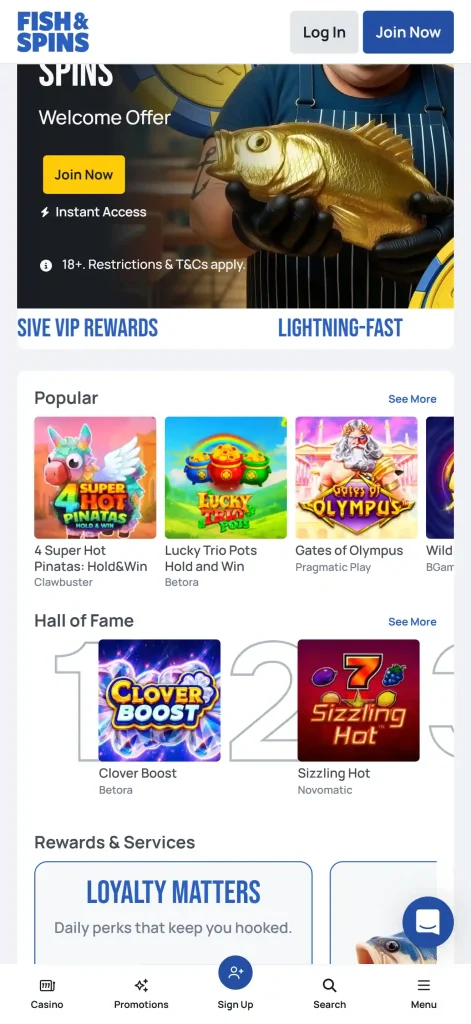
Phone and tablet access
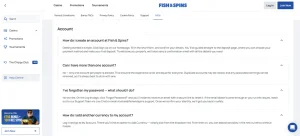
Fish & Spins supports mobile browser play, and its current FAQ says the casino is fully optimised for mobile devices with games, bonuses and features available on the go. Fish & Spins does not currently provide a dedicated native iOS or Android app. For UK users, the practical route is therefore the website in a mobile browser rather than an App Store or Google Play download.
Table of Contents
- Browser casino or native app: what is actually verified?
- What should work in the mobile browser
- Registering and managing an account from a phone
- Practical checks before playing on a smaller screen
- Why an "app" search can still lead to a browser casino
- Getting help when mobile access fails
- Mobile access details to verify
- Mobile claims that the current evidence does not support
- When mobile browser play is the better Fish & Spins option
Browser casino or native app: what is actually verified?
| Mobile option | Current status | What that means |
|---|---|---|
| Mobile browser | Verified | The official FAQ says Fish & Spins is optimised for mobile and makes games, bonuses and features available on mobile devices. |
| Native iOS app | No dedicated native app | Fish & Spins does not currently provide a separate iPhone or iPad App Store application. |
| Native Android app | No dedicated native app | Fish & Spins does not currently provide a separate Google Play Android application. |
| PWA / install-to-home-screen package | Not verified | No standalone PWA installation claim is made here. Use the live website rather than relying on an unofficial installation guide. |
For the wider product overview, see the Fish & Spins UK review. The key mobile point is simple: browser access is the confirmed route, while a separate native application is not part of the verified current picture.
What should work in the mobile browser
The official FAQ makes a broad statement that games, bonuses and features are available on mobile. That supports using the website as the main access layer rather than treating mobile as a cut-down side product. The public site also exposes the normal account, casino and support navigation through the same web property.
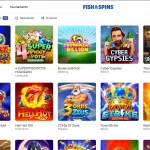
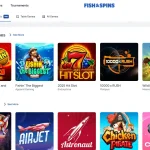
For game choice, the important details belong on the Fish & Spins games: this mobile guide does not repeat the full provider or category inventory. Likewise, cashier minimums and payment-method detail remain in the Fish & Spins payments, because mobile access does not change a payment rule by itself.
Registering and managing an account from a phone
The Fish & Spins registration flow is web-based, so a phone user follows the same general account journey: open the site, use the Join Now flow, provide the requested details and continue to the cashier if the account is accepted. The Fish & Spins registration covers those steps and the checks to make before depositing.
The account area also matters later. The current FAQ directs players to My Account for functions such as adding a currency and to My Account → Documents for verification uploads and status. That makes the mobile website more than a games launcher: the public help material describes account-management tasks within the same browser-based service.
Practical checks before playing on a smaller screen
Use the official domain
Open Fish & Spins directly in Safari, Chrome or another current browser. Do not install an APK, configuration profile or third-party app merely because a search result calls it an official download.
Check the live cashier
Payment methods and transaction details can vary by method and account context. Treat the mobile cashier as the current source rather than assuming every desktop method will appear identically.
Keep the browser updated
A current browser helps with responsive layouts, secure connections and modern game rendering. If a game behaves badly, test the browser and connection before assuming the title itself is unavailable.
Protect account access
A phone is easy to leave unlocked or share. Use device-level security and the account protections offered by the site rather than storing credentials in an insecure note or message.
Why an “app” search can still lead to a browser casino
Players often use “app” as shorthand for using a casino on a phone, even when the operator does not publish a native application. In this case the verified product is the mobile website. That distinction matters because an unofficial download can introduce security risk, while the browser route keeps the user on the same official domain used for desktop access.
There is also no need to invent a benefit that only a native app could provide. Push notifications, biometric login, offline features or App Store updates are not claimed here because they are not established for the current Fish & Spins mobile service. The useful question is whether the browser version provides the functions you need, not whether an icon exists in an app marketplace.
Getting help when mobile access fails
Fish & Spins advertises 24/7 live chat support. If a mobile page, game or account function does not load, note the browser, device and the step where the issue occurs before contacting support. That gives the support agent something concrete to diagnose and avoids confusing a temporary browser problem with a permanent feature restriction.
If a particular game does not render on a phone, check another title and the broader casino page before assuming the whole mobile service is down. If the issue is payment-specific, use the payment guidance rather than repeatedly resubmitting a transaction.
Mobile access details to verify
- Fish & Spins FAQ – official statement that the casino is optimised for mobile and that games, bonuses and features are available on mobile, rechecked 26 September 2026.
- Fish & Spins homepage – current browser-based casino and account entry points.
- Casinos-UK.com Fish & Spins review – current secondary corroboration that mobile access is browser-based and does not require a dedicated native application.
- Independent Casinos UK Fish & Spins review – independent secondary corroboration of browser-based mobile access and no dedicated native iOS/Android app.
Mobile claims that the current evidence does not support
No verified native iOS or Android application means there should be no App Store badge, Google Play download instruction or APK link in the editorial copy. The same source set does not establish a dedicated PWA package, so an install-to-home-screen feature should not be promoted as a Fish & Spins app unless a current brand source explicitly confirms it.
Browser optimisation is a narrower and stronger statement. It says the site is intended to work on mobile devices and that games, bonuses and features are accessible through the web service. It does not guarantee identical layouts, performance or game availability on every phone. Those device-level details are better checked in the current browser session than turned into broad promises.
This distinction also keeps the page aligned with user intent. A person searching for an app can still receive a direct answer: use the mobile website, because separate native applications are not verified. That answer is more accurate than filling the gap with an unofficial download route.
For that reason, the page does not provide a download button or installation path. The verified route is the website in a mobile browser.
When mobile browser play is the better Fish & Spins option
For Fish & Spins, the mobile browser is not a fallback to an established native app – it is the verified mobile route. It gives access to the same web service without requiring an iOS or Android download, and it keeps account, games and support functions on the official domain. Because Fish & Spins does not currently provide a dedicated native app, UK users looking for “the Fish & Spins app” should use the responsive website as the current route.